
Turn an AI idea into a part that fits
The goal: adapt a generated design to real dimensions – for example, set an enclosure to the required width or position a mounting surface precisely.
You created a 3D model with Meshy or another AI tool – and want to turn it into a precisely editable part? That is why we are developing Mesh → CAD: to convert polygon models from AI tools and other 3D projects into real parametric models with editable dimensions and CAD features.
Available in the beta today: analyse suitable technical shapes in STL/3MF meshes and reconstruct them as CAD geometry. Live reconstruction displays validated intermediate results. Results and editability depend on the source mesh; full conversion of arbitrary models is not guaranteed.
Mesh → CAD requires an enabled paid plan. Free accounts and guest access do not include this beta.
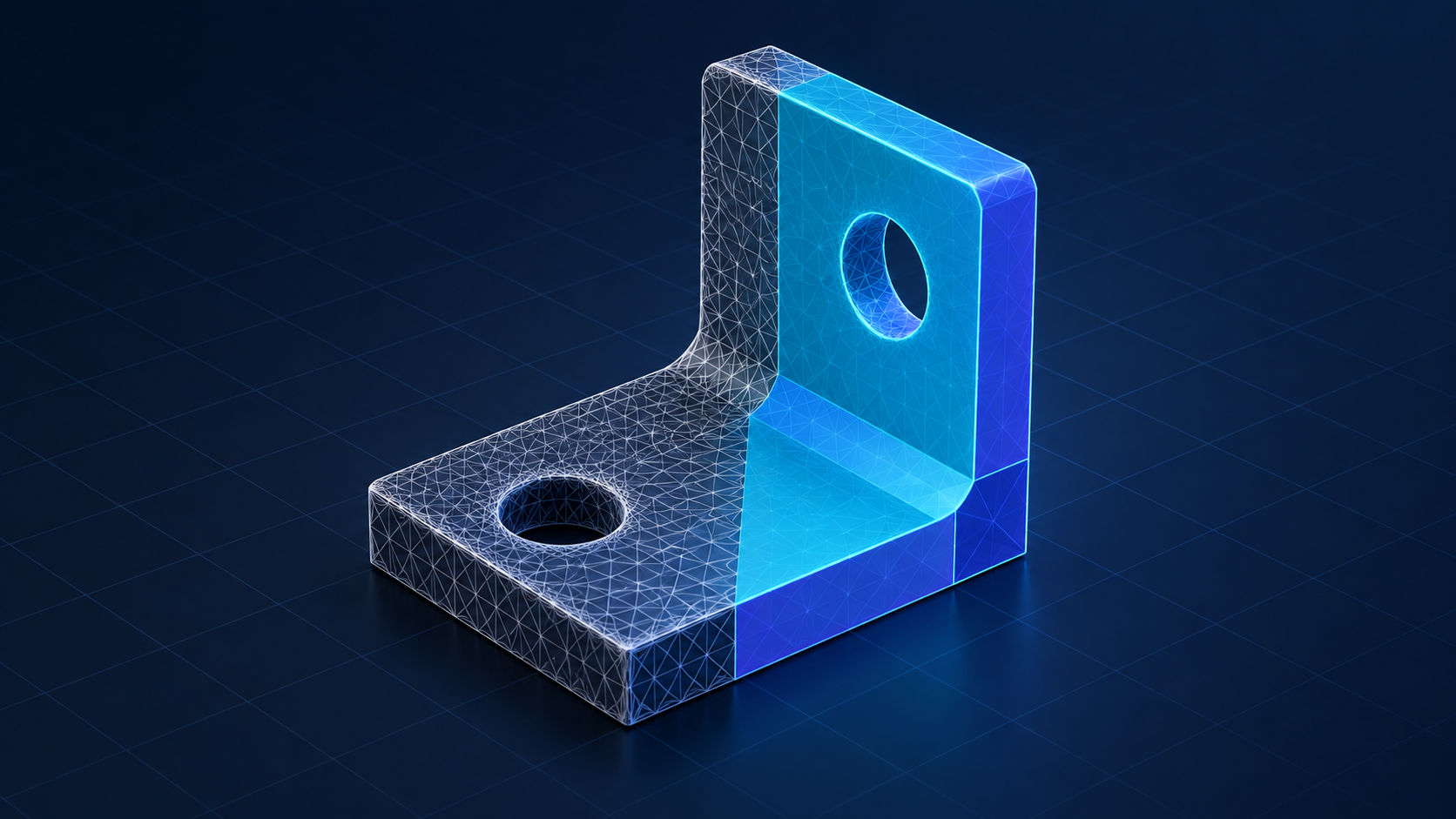
The exported mesh contains the shape as a network of polygons. A hole starts as a ring of facets, not a CAD feature with an adjustable diameter. One flat enclosure wall might consist of thousands of triangles. Mesh → CAD aims to reconstruct geometric surfaces and parametric features so you can develop an AI concept into an engineered design.
The goal: adapt a generated design to real dimensions – for example, set an enclosure to the required width or position a mounting surface precisely.
A validated reconstructed hole can have an editable diameter. Check detected features and the result against the source before changing dimensions.
Use suitable technical meshes as starting points for CAD. The beta reconstructs supported shapes; incomplete or unsuitable results still need another design workflow.
Use your model from Meshy, another AI tool or an existing 3D project as an STL or 3MF file. If it is in another format, convert it first with a suitable 3D tool.
Import your file into ShapeAnywhere, select the mesh and start “Mesh → CAD”. With beta access enabled, analysis and reconstruction run through the live workflow.
Compare the finished CAD result with the original mesh. Check openings, surfaces and dimensions. Then edit the CAD faces and features that were actually reconstructed.
A surface can look smooth on screen while still deviating slightly from a plane. The beta makes that difference measurable. Results describe the analysed geometry; they do not replace inspection of the physical part.
An enclosure needs to fit your electronics, and an adapter needs defined mating dimensions. The beta is best suited to technical models with measurable surfaces, openings and profiles. Organic characters and arbitrary AI meshes cannot reliably be turned into meaningful parametric designs.
Yes. You can use STL or 3MF files from Meshy, other AI tools and existing projects. The beta attempts to reconstruct supported technical shapes; success depends on the geometry. There is no direct Meshy integration, so the workflow uses files.
A different file format does not create meaningful parameters or a construction history. Even a CAD file containing many individual facets is not automatically a model with an editable hole, wall thickness or sketch. Mesh → CAD therefore aims to reconstruct geometric shapes and parametric features.
For suitable technical meshes, the beta can create editable CAD geometry with reconstructed features. An arbitrary mesh does not automatically become fully parametric. Always check which shapes and details were actually recovered.
Yes. Imported STL and 3MF meshes can be used as sources. Analysis works on the mesh geometry they contain.
No. The beta requires its own entitlement in an enabled paid plan. Regular STL/3MF import remains independent and does not become a paid feature because of this beta. The plan overview lists the features included in each plan.
Analysis leaves the original mesh unchanged. Detected planes are evaluated; unrecognised regions stay untouched.
Suitable supported holes, cylinders, planes and measured profiles can be reconstructed. Arbitrary organic surfaces do not gain a reliable parametric design history.
Import brings in the triangle mesh. Reverse engineering examines its geometric relationships and attempts to rebuild suitable technical shapes as CAD geometry with editable features.
Analysis runs in a dedicated Web Worker. A sample first identifies candidate planes; those candidates are then checked against all triangles. Runtime and memory requirements depend on the mesh and device.
Try technical reconstruction of your STL and 3MF meshes in the paid beta and inspect the result against your source.
Mesh → CAD requires an enabled paid plan. Free accounts and guest access do not include this beta.